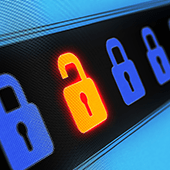
Protect your network from watering hole attacks

With evil elements continuously developing novel ways to infiltrate networks and steal user data, it is more crucial than ever to stay one step ahead of the curve. Protect yourself from cybercriminals by learning more about their methods. Here are some tips to deal with the threat of watering hole attacks:

What are watering hole attacks?

Watering hole attacks are used to distribute malware onto victims’ computers in a similar way phishing activities are conducted. Cybercriminals infect popular websites with malware, and anyone who has had the misfortune to visit have their computers automatically loaded with malware.

The malware used in these attacks usually collects the target’s personal information and sends it back to the hacker’s server. In extreme cases, the hacker will actively take control of the infected computer.

But how does a hacker choose which websites to hack? With internet tracking tools, hackers find out which websites companies and individual users visit the most. They then attempt to find vulnerabilities in those websites and embed them with malicious software.

With such highly skilled hackers these days, virtually any website can fall victim to a watering hole attack. In fact, even high-profile websites like Twitter, Microsoft, Facebook, and Apple were compromised in 2013.

You can protect yourself by following these tips:

Update your software
Watering hole attacks often exploit holes and vulnerabilities to infiltrate your computer, so by updating your software and browsers regularly, you can significantly reduce the risk of an attack. Make it a habit to check the software developer’s website for any security patches. Or better yet, hire a managed IT services provider to keep your system up to date.

Watch your network closely
Regularly conduct security checks using your network security tools to try and detect watering hole attacks. For example, intrusion prevention systems allow you to detect suspicious and malicious network activities. Meanwhile, bandwidth management software will enable you to observe user behavior and detect abnormalities that could indicate an attack, such as large transfers of information or a high number of downloads.

Hide your online activities
Cybercriminals can create more effective watering hole attacks if they compromise websites only you and your employees frequent. As such, you should hide your online activities with a VPN and your browser’s private browsing feature. Also, block social media sites from your office network, as these are often used as share points of links to infected sites.

At the end of the day, the best protection is staying informed. As cyberthreats continue to evolve, you must always be vigilant and aware of the newest threats. Tune in to our blog to find out about the latest developments in security and to get more tips on how to keep your business safe.


Disaster recovery during hurricane season

There’s no telling when natural disasters will occur. When they do, certain regions in the country often bear the brunt of their impact, like when Hurricanes Harvey and Irma hit certain states in 2017. With a well-designed disaster recovery (DR) plan, your business can be spared from total devastation.


Determine recovery hierarchy

Certain parts of your IT are more mission-critical than others. Ask yourself which systems or data must be recovered in minutes, hours, or days to get your business back to running efficiently.

For example, you may find that recovering sensitive customer information and eCommerce systems take priority over recovering your email server. Whatever the case may be, prioritizing your systems ensures that the right ones are recovered quickly after a disaster.

Pay attention to location

First and foremost, your backup site should be in a hurricane-free zone. Ideally, your off-site facility should be located at least 100 miles away from your main location. If this isn’t possible, make sure it is built to withstand wind speeds of 160 mph (as fast as Category 5 storms), and is supported by backup generators and uninterruptible power supplies.

You should also request an upper floor installation or, at the very least, keep critical IT equipment 18 inches off the ground to prevent water damage.

Use image-based backups

Unlike fragile tape backups, image-based backups take “snapshots” of your systems, creating a copy of the OS, software, and data stored in it. From there, you can easily boot the virtual image on any device, allowing you to back up and restore critical business systems in seconds.

Take advantage of the cloud

The cloud allows you to host applications and store data in high-availability, geo-redundant servers. This means your backups can be accessed via the internet, allowing authorized users to access critical files from any device. Expert technicians will also watch over and secure your backups, allowing you to enjoy the benefits of enterprise-level backup facilities and IT support.

Back up your data frequently

Back up your data often, especially during disaster season. If your latest backups were created on the 15th of September and the next storm makes landfall on the 28th, you could lose nearly two weeks of data.

Get in the habit of replicating your files at the end of each day, which should be easy if you’ve opted for image-based backups.

Test your DR plan

After setting up your backups, check whether they are restoring your files accurately and on time. Your employees should be drilled on the recovery procedures and their responsibilities during and after disaster strikes. Your DR team should also be trained on how to failover to the backup site before the storm hits. Finally, providers, contractors, and customers need to be notified about how the hurricane will affect your operations.

As cell towers and internet connections may be affected during this time, make sure your company forums are online and have your employees register with the Red Cross Safe and Well website so you can check their statuses.

It’s nearly impossible to experience little-to-no disruptions during disasters like Harvey or Irma, but with the right support, you can minimize downtime. If you’re concerned about any natural disasters putting you out of business, call us today. We offer comprehensive business continuity services that every company should have

IT terms you need to know

Jargon can be intimidating if you’re dealing with IT issues and you’re anything but techy. Running an anti-malware scan can generate auto pop-ups that leave you clueless with IT terms that sound Greek. Learning the basic concepts listed here will help you move on and not be surprised the next time that happens.

Malware

For a long time, the phrase “computer virus” was misappropriated as a term to define every type of attack that intended to harm or hurt your computers and networks. A virus is actually a specific type of attack, or malware. Whereas a virus is designed to replicate itself, any software created for the purpose of destroying or unfairly accessing networks and data should be referred to as malware.

Ransomware

Don’t let all the other words ending in “ware” confuse you; they are all just subcategories of malware. Currently, one of the most popular of these is “ransomware,” which is malware that encrypts valuable data until a ransom is paid for its return.

Intrusion protection system(IPS)

There are several ways to safeguard your network from malware, but IPSs are quickly becoming one of the non-negotiables. IPSs sit inside of your company’s firewall and look for suspicious and malicious activity that can be halted before it can exploit or take advantage of a known vulnerability.

Social engineering

Not all types of malware rely solely on fancy computer programming. Experts agree that the majority of attacks require some form of what is called “social engineering” to be successful. Social engineering is the act of tricking people, rather than computers, into revealing sensitive or guarded information. Complicated software is totally unnecessary if you can just convince potential victims that you’re a security professional who needs their password to secure their account.

Phishing

Despite often relying on face-to-face interactions, social engineering does occasionally employ more technical methods. Phishing is the act of creating an application or website that impersonates a trustworthy and often well-known business in an attempt to elicit confidential information. Just because you received an email that says it’s from the IRS doesn’t mean it should be taken at face value — always verify the source of any service requesting your sensitive data.

Antivirus

Antivirus software is often misunderstood as a way to comprehensively secure your computers and workstations. These applications are just one piece of the cybersecurity puzzle and can only scan the drives on which they are installed for signs of well-known malware variants.

Zero-day attacks

Malware is most dangerous when it has been released but not yet discovered by cybersecurity experts. When a vulnerability is found within a piece of software, vendors will release an update to amend the gap in security. However, if cyberattackers release a piece of malware that has never been seen before, and if that malware exploits one of these holes before the vulnerability is addressed, it is called a zero-day attack.

Patch

When software developers discover a security vulnerability in their programming, they usually release a small file to update and “patch” this gap. Patches are essential to keeping your network secure from the vultures lurking on the internet. By checking for and installing patches as often as possible, you keep your software protected from the latest malware.

Redundant data

When antivirus software, patches, and intrusion detection fail to keep your information secure, there’s only one thing that will: quarantined off-site storage. Duplicating your data offline and storing it somewhere other than your business’s workspace ensures that if there is a malware infection, you’re equipped with backups.
We aren’t just creating a glossary of cybersecurity terms; every day, we’re writing a new chapter to the history of this ever-evolving industry. And no matter what you might think, we are available to impart that knowledge on anyone who comes knocking. Get in touch with us today and find out just how we can help you with your IT woes.

Guide For Managed WiFi For Multi-Tenant Units

WIFI IS REVOLUTIONIZING HEALTHCARE!

Wireless Connections For The Near
Future Whitepaper

Professional Services To Grow Your
Business Whitepaper

Experience Guide Hybrid Workforce United

Embrace Change 4 Ways To Prepare For Whats Next

Madgig Embrace Change a 4-step Plan